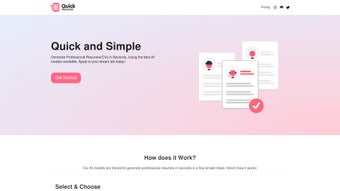

Download Quick Resume – AI‑Powered Resume Builder, Free & Secure
Overview: Streamline Your Resume Creation with Quick Resume
Quick Resume is a cloud‑based, AI‑driven web application that lets job seekers generate polished, ATS‑friendly resumes in seconds. Powered by Google Gemini AI, the platform analyses the information you provide—personal details, work history, education, and key skills—and instantly produces a professional document tailored to the role you’re targeting. Whether you need a classic “Software Engineer” layout or a more relaxed “Casual” style, Quick Resume offers a variety of templates that meet modern recruitment standards while maintaining a clean, readable design.
The biggest advantage of Quick Resume lies in its speed and intelligence. Traditional resume builders often require hours of formatting and manual tweaking, but Quick Resume eliminates that friction. By leveraging advanced language models, the tool ensures that each bullet point highlights quantifiable achievements, uses industry‑specific keywords, and adheres to the best practices for Applicant Tracking Systems (ATS). This increases the likelihood that recruiters’ automated scanners will rank your application higher, giving you a competitive edge in today’s fast‑paced job market.
After the AI crafts your resume, you can download it in two flexible formats. The PDF version is ready for immediate submission—perfect for online applications, email attachments, or printing. For users who prefer deeper customization, the LaTeX option provides a clean source file that can be edited with any LaTeX editor, allowing you to adjust typography, spacing, or branding elements to match personal preferences or academic standards. This dual‑format approach makes Quick Resume suitable for both corporate professionals and academic candidates.
Key Features at a Glance
- AI‑generated content powered by Google Gemini for fast, accurate writing.
- Multiple template styles: Software Engineer, Casual, Creative, Academic, and more.
- ATS‑friendly formatting to improve recruiter visibility.
- One‑click download in PDF (ready‑to‑send) or LaTeX (fully editable) formats.
- Secure cloud processing—your personal data never leaves the encrypted session.
- Free basic plan with optional premium upgrades for advanced styling.
- Responsive web interface works on any modern browser without installation.
Installation, Usage & Compatibility: How to Get Started Quickly
Because Quick Resume is a web‑based service, there is no traditional software installation required. All you need is a stable internet connection and a compatible browser. The platform has been optimized for the latest versions of Chrome, Firefox, Edge, and Safari, ensuring smooth performance on both desktop and mobile devices. This means you can craft a resume from a Windows PC, a macOS laptop, an Android tablet, or an iOS iPhone without worrying about system constraints.
Step‑by‑Step Guide to Create Your First Resume:
- Visit the Quick Resume website and click the “Start for Free” button.
- Choose a template that matches your target role (e.g., Software Engineer).
- Enter your personal information: name, contact details, and professional summary.
- Populate the work experience section—include dates, company names, and concise achievement statements.
- Fill out education credentials and list relevant skills or certifications.
- Click “Generate Resume.” The AI processes your data within seconds and displays a preview.
- Review the generated content; you can edit any section directly in the browser if needed.
- Select your preferred download format—PDF for immediate use or LaTeX for custom edits.
- Save the file to your device and start applying!
The entire workflow is designed to be intuitive, with clear prompts and inline validation to prevent common errors such as missing dates or incomplete skill entries. For users who prefer a deeper level of control, the LaTeX export opens up a world of typographic possibilities—perfect for academics, researchers, or designers who want to fine‑tune every aspect of their document.
Supported Operating Systems: Windows 10/11, macOS Monterey and later, Linux distributions with a modern browser, Android 8.0+, iOS 13+. Because Quick Resume runs entirely in the cloud, performance is consistent across platforms, and there is no need to download additional drivers or plugins.
Security is a core focus. All data transmitted between your device and the Quick Resume servers is encrypted with TLS 1.3, and the platform adheres to GDPR and CCPA guidelines. Your personal information is stored only for the duration of the session and is automatically deleted after a short period unless you choose to create an account for future edits.
Pros, Cons & Frequently Asked Questions
Pros
- Speed: Generates a full resume in under 30 seconds.
- AI Accuracy: Uses Google Gemini, delivering industry‑specific phrasing and keyword optimization.
- ATS Compatibility: Formats are pre‑tested against major applicant tracking systems.
- Free Tier: No credit card required for basic resume creation.
- Cross‑Platform: Works on any device with a modern web browser.
Cons
- Limited offline functionality—requires internet access.
- Advanced design customization beyond templates requires LaTeX knowledge.
- Premium features (custom branding, multi‑page resumes) are behind a paywall.
- No native mobile app—reliant on browser experience.
FAQ – Quick Resume
Is Quick Resume really free?
Yes, the basic version allows you to create and download a single resume in PDF or LaTeX without any cost. Premium templates and batch processing are available with a paid subscription.
Can I edit the resume after it’s generated?
Absolutely. Quick Resume provides an in‑browser editor where you can modify any section before downloading. If you choose the LaTeX format, you can further edit the source file with any LaTeX editor.
How does Quick Resume ensure ATS compatibility?
The AI model is trained on thousands of job descriptions and ATS parsing rules. It automatically incorporates relevant keywords, uses simple fonts, and structures sections in a way that most ATS software can read without errors.
Is my personal data safe?
Quick Resume employs end‑to‑end TLS encryption, stores data only for the active session, and complies with GDPR and CCPA. No personal information is shared with third parties unless you explicitly opt‑in.
Can I use Quick Resume on a Mac or Linux machine?
Yes. Since it runs entirely in the browser, any OS that supports a modern browser (Chrome, Firefox, Edge, Safari) can access Quick Resume without issues.
Conclusion: Get Your Professional Resume in Seconds with Quick Resume
In a job market where first impressions are formed within seconds, having a well‑crafted, ATS‑friendly resume is no longer a luxury—it’s a necessity. Quick Resume delivers exactly that by combining the speed of AI with the reliability of proven resume standards. Whether you’re a seasoned software engineer, a recent graduate, or someone switching careers, the platform’s flexible templates and instant generation process let you focus on what matters most: preparing for interviews and showcasing your talent.
The free tier provides enough power for most users, while the premium upgrade opens doors to advanced styling and multi‑resume management for recruitment agencies or job‑hunt power users. With secure cloud processing, cross‑platform accessibility, and a commitment to data privacy, Quick Resume stands out as a trustworthy tool in the crowded resume‑builder space.
Ready to accelerate your job search? Download Quick Resume now and produce a polished, professional CV in seconds. Take advantage of the free plan, test the AI’s capabilities, and see how a well‑structured resume can open doors to new opportunities.
Overall Rating: 4.5 / 5
Pros: Fast AI generation, ATS‑optimized, free PDF download.
Cons: Requires internet, LaTeX customization needs expertise.



.png)



